 DocumentFlow Desk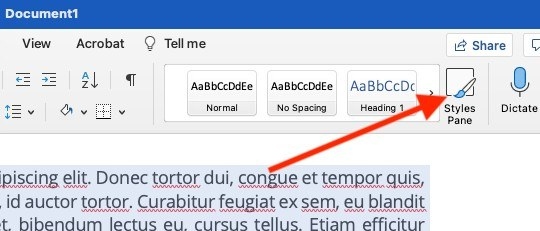
Select the text and choose a reset method
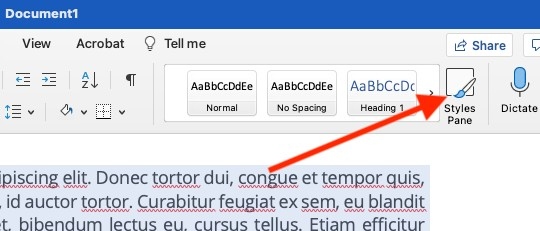
The guide describes using Word’s Styles pane and Clear Formatting to return selected text to the Normal style. It also shows the Clear All Formatting button in the Home tab’s Font group. Select the intended passage first, especially if only part of the document needs repair. A reset is useful when accumulated formatting changes make the text difficult to standardize or when the current appearance no longer matches the intended structure.
Check headers, footers, and text boxes separately
Selecting the main document text does not automatically clear the formatting of every independent area. The guide specifically notes that text boxes, headers, and footers require separate attention. Protection settings may also prevent formatting changes until the restriction is removed through the appropriate authorized process. After resetting the affected text, apply suitable styles again so headings and paragraphs regain a consistent, meaningful structure rather than remaining an undifferentiated block.






















Comments
0