 DocumentFlow Desk
Choose a page break or a section boundary
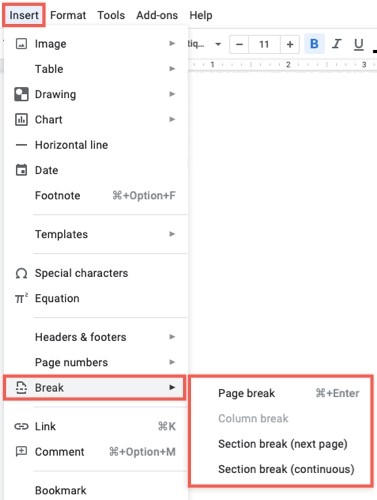
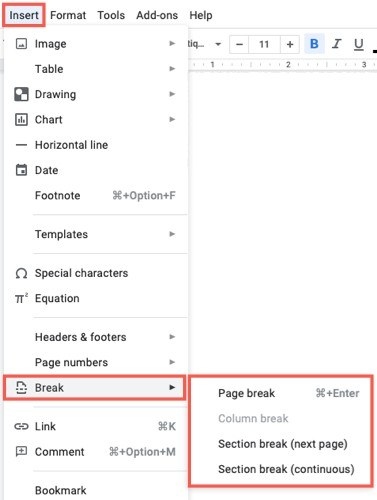
Google describes adding breaks through Insert and Break after selecting the relevant content. A page break starts content on another page, while a section break establishes a new section that can have its own layout settings. The page-break-before paragraph option is useful when a particular heading should always begin a page. Apply the setting to the paragraph rather than rebuilding a manual gap whenever earlier text changes.
Show boundaries and inspect their effect
Section breaks are normally hidden, but View and Show section breaks displays their positions. This helps explain why margins, page numbers, or other settings change partway through a document. A page break can be removed from the position immediately below it using Backspace or Delete. Review the resulting page flow afterward, and choose the correct section scope when adjusting margins so a local change does not unintentionally affect the whole document.





















Comments
0