 DocumentFlow Desk
Match the mode to the intended contribution
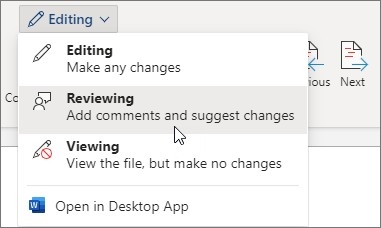
Word for the web offers a limited but useful set of review tools. In Reviewing mode, changes appear as tracked revisions, while Editing applies ordinary edits and Viewing prevents changes. Depending on the sharing setup, tracking can apply to everyone or only the current author. Choosing the mode deliberately helps distinguish a suggestion from a direct modification of the document.
Move to desktop Word when the task needs more controls
The web application supports common review actions and comments, including replies. More advanced tracking features may require the desktop application, reached through Open in Desktop when available. Saving there keeps the file in its shared location, with tracked changes preserved. This lets collaborators use a browser for routine review while retaining a route to the fuller desktop tools when the document or organization requires them.





















Comments
0