 DocumentFlow Desk
Change the overall contents layout
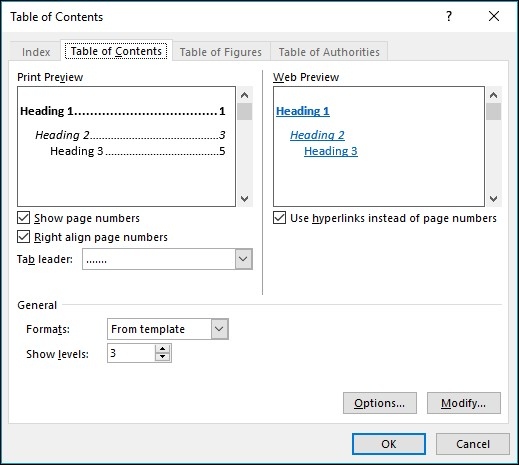
Open References, Table of Contents, and Custom Table of Contents to adjust an existing automatic table. The settings control whether page numbers appear, how they align, the tab leader, and the number of heading levels included. These are structural display choices rather than edits to the document's actual section titles. Canceling the dialog leaves the current table in place when an experiment does not produce the desired result.
Modify the appearance of individual levels
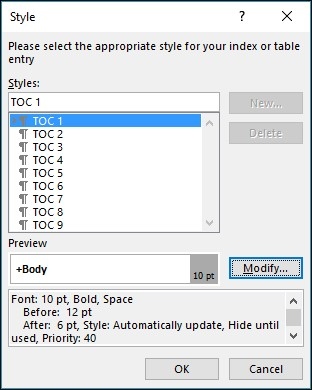
Use Modify within the custom table dialog to change the style associated with a contents level. If that option is unavailable, the source guidance recommends selecting From template in the formats setting. Work through the levels that need adjustment and save the changes. This provides a more maintainable approach than repeatedly formatting individual entries that may be regenerated when the contents page is updated.





















Comments
0