 DocumentFlow Desk
Work through the changes in a controlled sequence
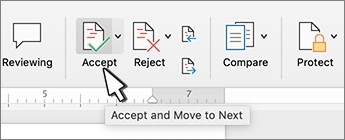
Start at the beginning of the document and use the Review tab to move among tracked edits. Accept keeps a proposed change, while reject discards it. Previous and Next can be used to inspect revisions without deciding immediately. This supports a deliberate review process when several people have contributed suggestions or when a change needs to be checked against the surrounding text.
Check the document before distributing the final copy
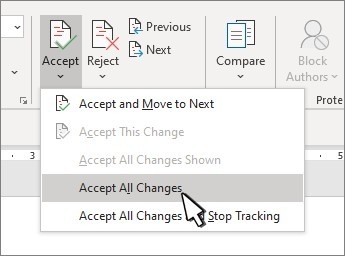
The No Markup display does not remove the underlying revisions. They can appear again when another person opens the file. After the review is complete, use the relevant accept or reject actions, including the all-changes options only when appropriate. The source also recommends Document Inspector for checking tracked edits, comments, hidden text, and document properties. A final check confirms that the shared copy contains the intended material rather than merely looking clean in one view.





















Comments
0