 DocumentFlow Desk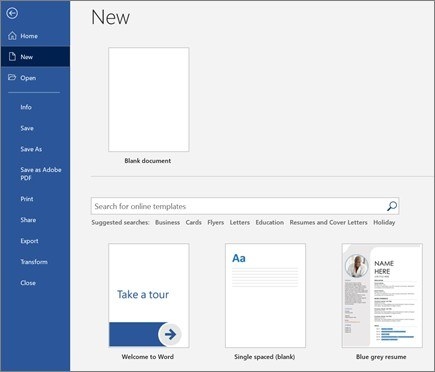
Choose a starting document and format selected text
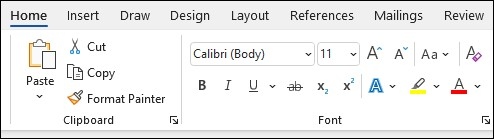
Microsoft’s desktop Word guide begins with File and New, where you can choose a blank document or search for a suitable template. After adding text, select the passage before applying formatting from the Home tab. Bold, italic, bullets, and numbering are available there. Starting with the correct document type and using the application’s list tools gives you a clearer base than assembling every element manually.
Insert supporting material through the ribbon
The Insert tab provides tables, pictures, shapes, icons, charts, and other supporting elements. For a table, choose its size from the table grid; for a picture, select the appropriate local or supported online source. Add these elements where they clarify the document, then review them alongside the text. Microsoft identifies these instructions as applying to Word for Microsoft 365 and other Windows desktop versions, so controls can differ in another edition.






















Comments
0