 DocumentFlow Desk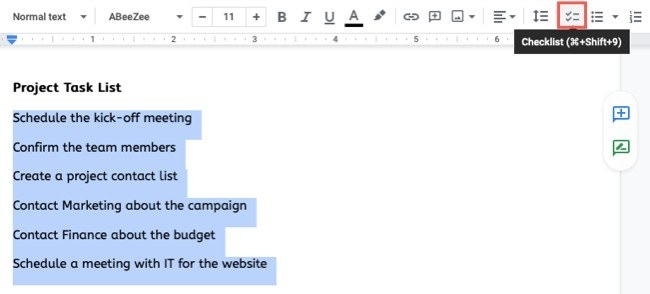
Turn task text into checkable items
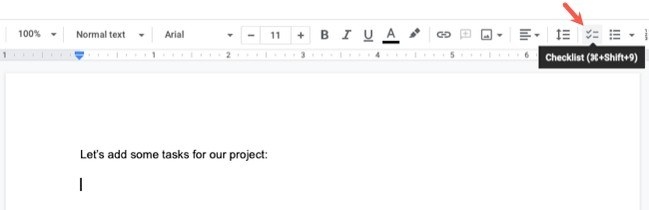
Google Docs provides a checklist tool that works much like its other list formats. How To Geek explains that you can begin a new list with the Checklist button, type an item and press Enter for the next one. Existing text or a bulleted list can also be selected and converted into a checklist, making it straightforward to adapt a draft procedure into a document people can work through.
Keep subtasks and completion clear
Indent an item with Tab or the toolbar's indent control when a task needs supporting steps. The guide notes that checking all indented subtasks does not automatically mark their parent item complete, so review the main item separately. Boxes can be checked and unchecked as the work changes. Before saving a reusable copy, remove any task specific details and reset completion marks so the next use begins in a clear state. Share the document with suitable permissions if several people need to update it.









Comments
0