 DocumentFlow Desk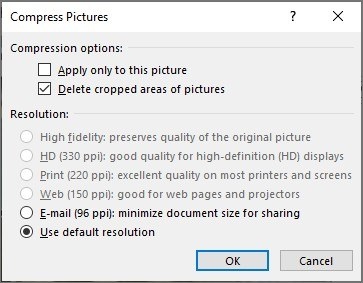
Look at the pictures before changing the text
Select a picture and open Compress Pictures from Picture Format to adjust the images stored in a Word document. The settings can apply beyond the selected picture, depending on the options chosen. Cropped image areas and retained editing data can also occupy space. Removing that information reduces flexibility later, so preserve an original copy when those earlier image states may still be needed.
Consider resolution and font requirements together
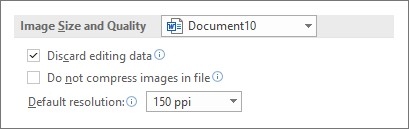
Word also provides default image-resolution controls and options for embedded fonts. Lower-resolution images may be sufficient for some uses, while embedded fonts increase size in exchange for more consistent appearance on another system. If embedding is required, including only the characters actually used can reduce the stored font data. Choose the settings for the document's destination and inspect the result instead of assuming that the smallest possible file is always the most useful.




Comments
0