 DocumentFlow Desk
 -
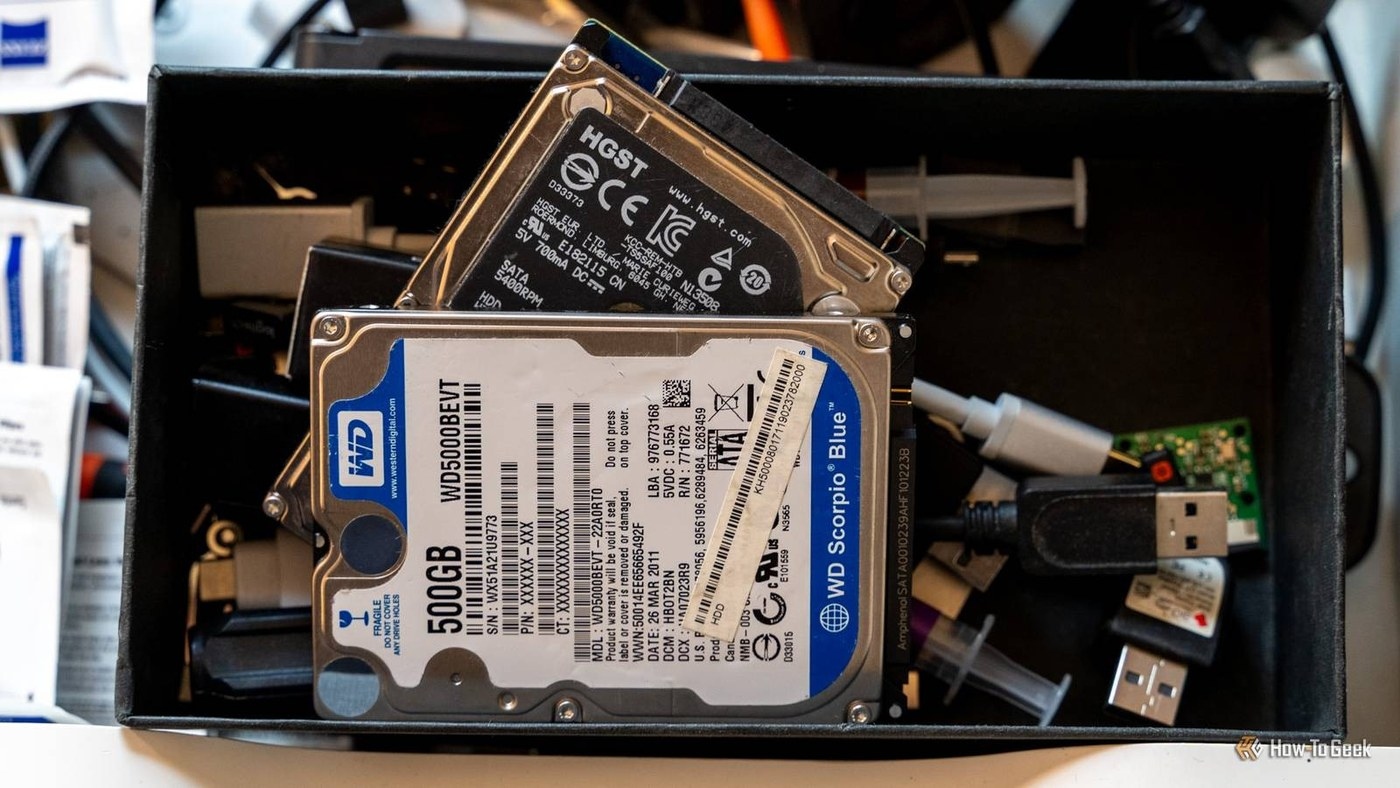
Build an Organized Archive for Inactive Project Documents
An archive should preserve useful material without crowding active storage.
-
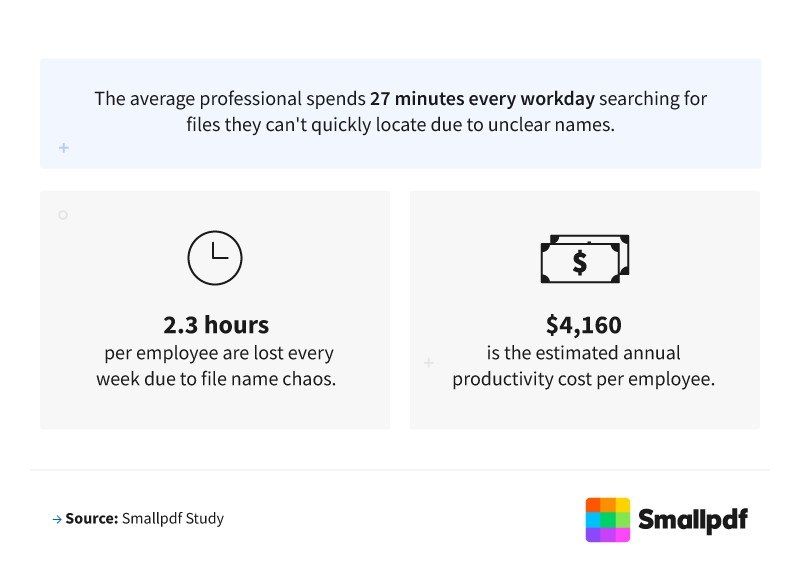
Make File Names Explain Version and Purpose
Smallpdf's survey of 1,000 US professionals links confusing filenames with wasted search time and wrong-version sharing.
-

Distinguish File Preview Support from Editing Support
OneDrive, SharePoint and Teams can preview many file types without installing their authoring application.
-
Recover Teams Files from the Correct Storage Location
Microsoft Teams uses OneDrive and SharePoint for file recovery.
-
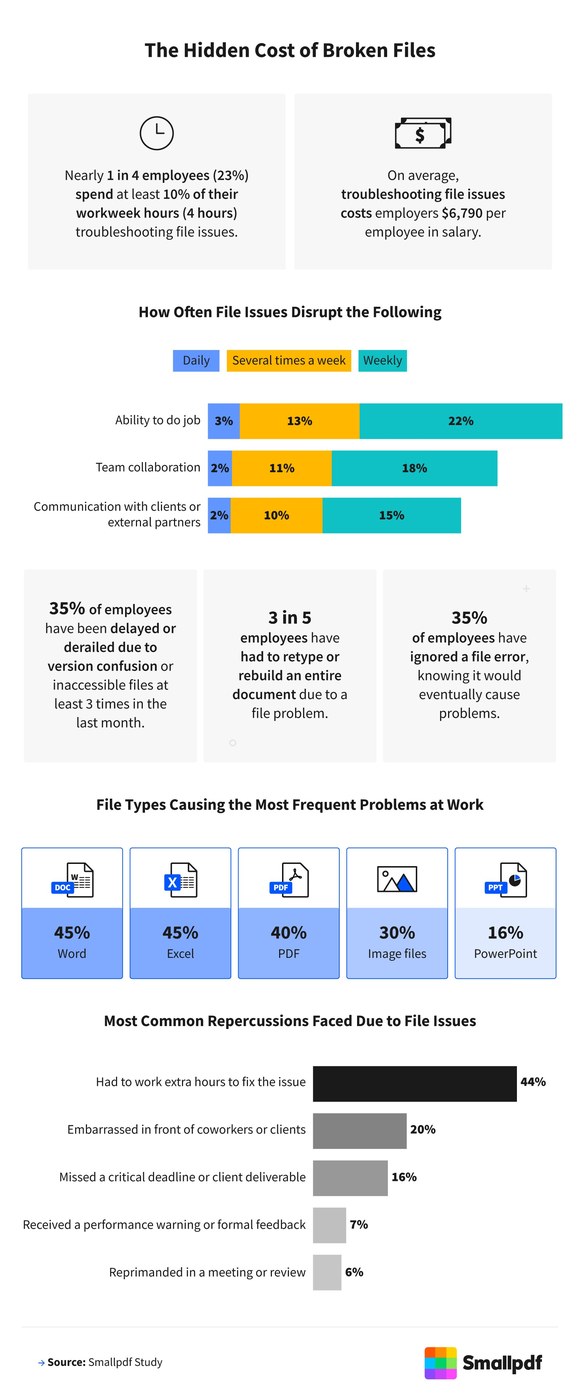
Include File Problems in a Workflow Organization Review
Broken PDFs, confused versions, and outdated tools can consume time that teams rarely count as document work.
-

Use Naming and Version History to Reduce File Confusion
Document storage and tracking work together: a team needs to find the current file and understand the changes behind it.
-
Explain Document Folders With Searchable Drive Descriptions
Similar filenames make a shared collection difficult to navigate, even when its folders appear tidy.
-

Use Clear Project Folders to Organize Google Drive
Google's Drive guidance recommends short, meaningful names and a simple folder structure that can grow with the work.
-

Move Finished Work From the Desktop Into Project Folders
A crowded desktop mixes program shortcuts, finished documents and work still in progress.
-
Combine Library Columns with Folder-Based Filing
Microsoft's SharePoint Server training describes using library columns alongside folders to make large document collections easier to view.

